Why the verification screen won't let you go back
Binance's guide How to Complete Identity Verification for a Personal Account? ends the website flow with step 6: confirm your personal information and click [Continue]. The next two sentences are the whole story. Make sure everything you entered matches your ID documents. You won't be able to change it once confirmed.
So there is no back button for a misspelled surname or a swapped day and month. Once it is confirmed, the fix happens through a separate route, and which route depends on what changed.
Which Binance self-service option fits your change
The help centre's Self-Service page splits identity changes into several tiles. These are the relevant ones, with the descriptions as Binance words them:
- Update Identity — "Update your ID and identity information." For when the document itself is different now.
- Name/Birthday Correction — "Correct your name/birthday." For when the document hasn't changed but what was recorded is wrong.
- Change Residential Address — "Change address and provide new Proof of Address documentation."
- Update Country of Residence — "Update your current residency."
- Appeal KYC Rejection — "Request review of verification rejection." Only if verification never went through.
Every one of these opens behind a login, so the forms inside aren't covered here. If you're still stuck at verification itself, why Binance KYC fails and what to check is the better starting point.
How to update Binance KYC after a name change, new passport or expired ID
The same verification guide, in its FAQ under "How to update/reset my identity verification information?", lists seven acceptable reasons:
- The documents have expired.
- The name on the document has changed.
- The ID number on the document has changed.
- The nationality has changed.
- You need to update or replace documents to meet a specific fiat channel's requirements.
- You want the name in a system-recognisable language, for example moving from a local-language ID card to an English-language passport.
- You need updated documents for Binance Card requirements.
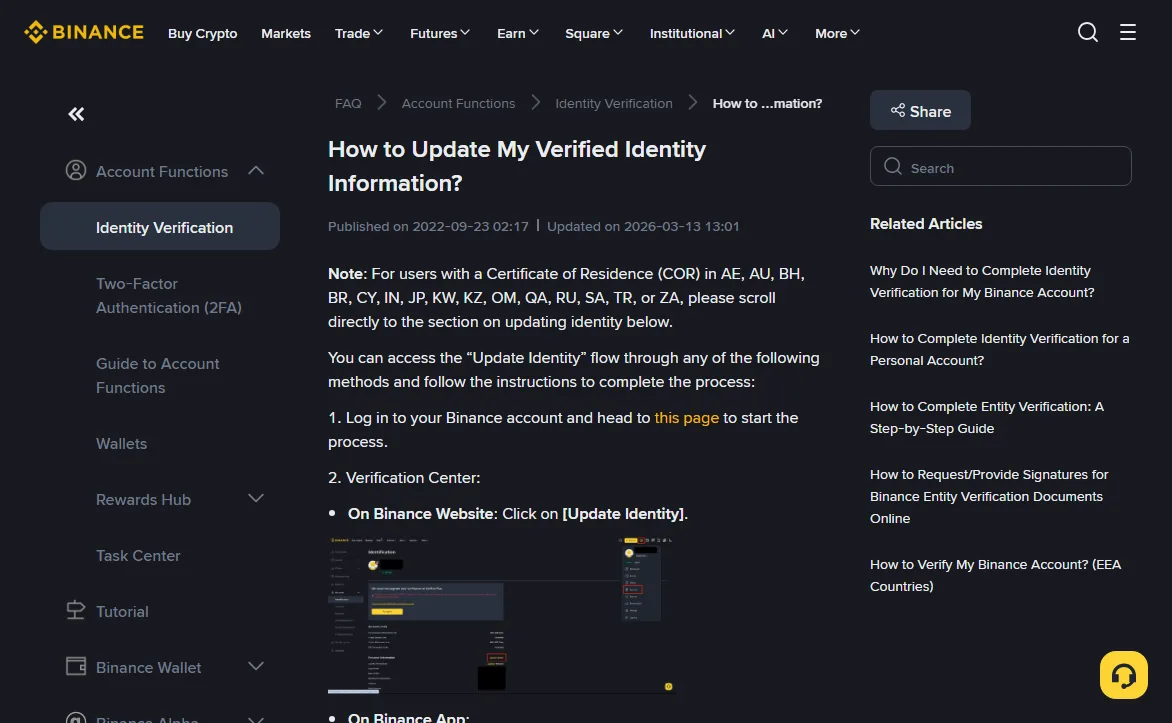
Binance also keeps a dedicated page for this, How to Update My Verified Identity Information?, which shows where the [Update Identity] button sits in the Verification Center on web and app.
2026-10
The steps, as both pages give them:
- Go to [Account] → [Identification] and click [Update Identity]. In the app: the profile icon on the home page, [>] for your account information, [Verifications], [Update Identity].
- Select the reason for the update and click [Continue].
- Pick the document's issuing country or region and the document type, then [Continue]. Whether manual upload is offered depends on the country.
- Follow the prompts to the end.
- Wait for an email saying the system review is complete.
That email is not the finish line. The dedicated page says that after it arrives, you "can proceed to submit your KYC verification again". Go back to [Identification] and check what's still open. Submitted documents are "usually reviewed within 48 hours", with longer waits possible in particular cases.
The document is fine, the name or birthday was typed wrong
None of the seven reasons covers a plain typing mistake. That case has its own tile, Name/Birthday Correction, so start there rather than forcing it into Update Identity.
What that form asks for isn't published in the help articles; you'll see it once logged in. The dedicated update page also says that if your reason isn't in the drop-down, or you can't get through the flow, contact Binance Support. When you do, put the two versions side by side: which field, what the account shows, what the document says.
Moving house or changing your country of residence
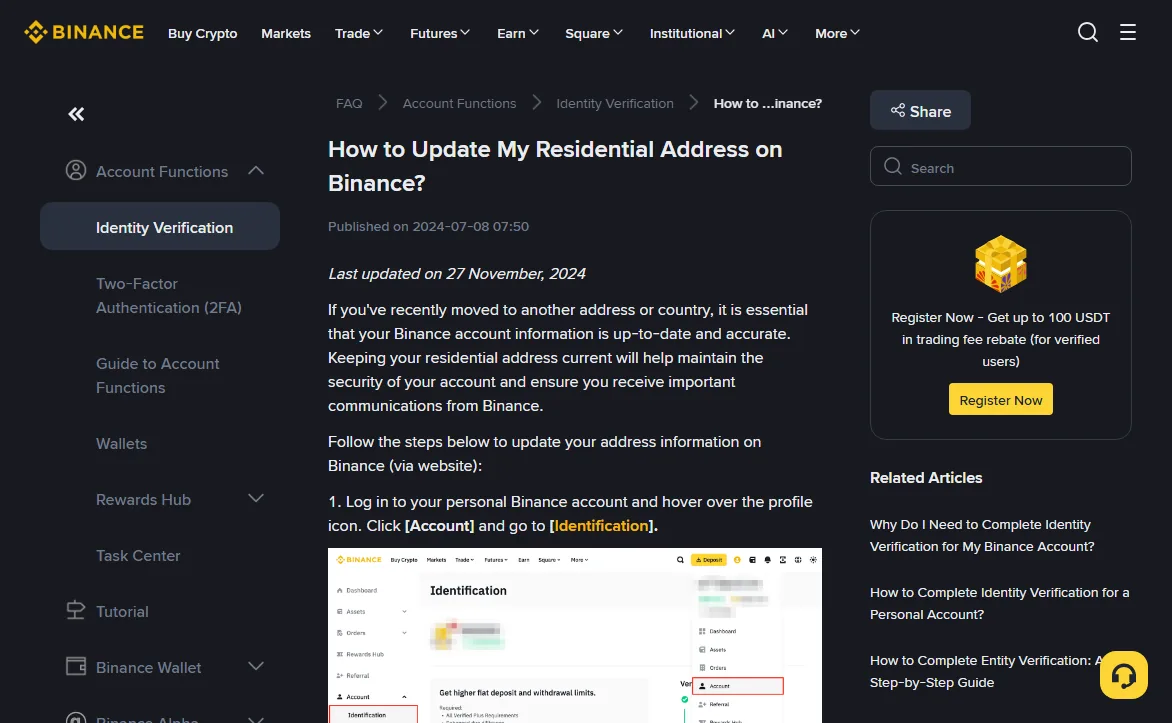
Addresses live in a separate guide, How to Update My Residential Address on Binance?, last updated on 27 November 2024. On the website:
- Hover over the profile icon, click [Account], go to [Identification].
- Scroll down and click [Edit Address].
- Choose the country of residence you're updating to, then [Continue].
- Fill in the address, then [Continue].
- Click [Upload] and add your proof of address.
- Wait. Proof-of-address review "may take up to 1-2 working days", the result is sent to you, and the page says you don't need to contact support.
2026-10
A new street in the same country is usually just those six steps. A new country is where the FAQ on that page adds three things:
- Rules differ by country, so after a move Binance may need you to reset KYC and verify again under your new residence's requirements.
- Products you had before (the page names futures as an example) may not be available, and new ones may appear. Customer Service can confirm what applies.
- Changing your residency to the UK "in the short term is not possible", because of changes tied to the UK's Financial Promotions Regime.
The second point reaches your fiat routes too. Different places have different deposit and cash-out channels, as the four-region comparison shows. List the ways you currently move money in and out, check they exist where you're going, then change the country.
Can you still move funds while the update is pending?
The dedicated update page has a note right after its country list (AE, AU, BH, BR and so on): "upon declaring to update your KYC materials, your account will be restricted to 'Withdrawal Only' mode until all of your new information has been submitted and verified." Read literally, it sits with that list. The page doesn't say it never applies elsewhere, so plan as if it could.
The general verification guide spells out what that mode allows, in its note on accounts that haven't finished verification: fund withdrawal, order cancellation, position close and redemption. Deposits and new trades are out.
In practice, before you submit:
- Finish any open P2P order, especially a sell where the buyer has already paid and is waiting for release.
- Let incoming deposits land first.
- Withdrawals still work, so the usual care about network and address applies; choosing a withdrawal network covers that.
Sources
- Binance Support, How to Complete Identity Verification for a Personal Account? (marked updated 2026-06-04, read 2026-10) — step 6 "You won't be able to change it once confirmed"; FAQ 2's seven reasons and [Update Identity] steps; no account transfer or using another person's ID; review usually within 48 hours; what "Withdraw Only" allows.
- Binance Support, How to Update My Verified Identity Information? (marked updated 2026-03-13, read 2026-10) — web and app paths to [Update Identity]; "Withdrawal Only" note after declaring an update; submit KYC again after the email; contact support when the reason isn't listed.
- Binance Support, How to Update My Residential Address on Binance? (marked last updated 27 November 2024, read 2026-10) — [Edit Address] steps, 1-2 working days for proof of address, possible KYC reset and product changes after a country move, no short-term change to the UK.
- Binance Support, the Self-Service page in the help centre (read 2026-10) — tile names Update Identity, Name/Birthday Correction, Change Residential Address, Update Country of Residence, Appeal KYC Rejection.
The general verification guide and the dedicated update page carry different update dates. If they ever disagree, read the current version of both before you submit.
Short answers
Do I need to close my account and open a new one to fix my details?
No. Binance lists update routes for a changed document, a wrong name or birthday, and a new address. Its verification guide also says you can't transfer an account or use someone else's ID, so a fresh account under another identity isn't a fix.
How long does the review take?
The verification guide says submitted documents are usually reviewed within 48 hours, sometimes longer. Proof of address may take 1-2 working days. After the identity update email, you may still need to submit KYC again.
Will my fee discount or referral link change when I update KYC?
None of the Binance pages cited here say anything about fees or referrals in connection with a KYC update. If that matters to you, ask support before you submit.