
Why the same ticker is three different tokens
USDT is issued by Tether. Tether issues it separately on each chain it supports — a distinct contract or token on each network, each with its own supply, each tracked independently. Tether's own transparency page reports circulation broken down by chain, which is the clearest evidence that these are separate issuances rather than one token that travels.
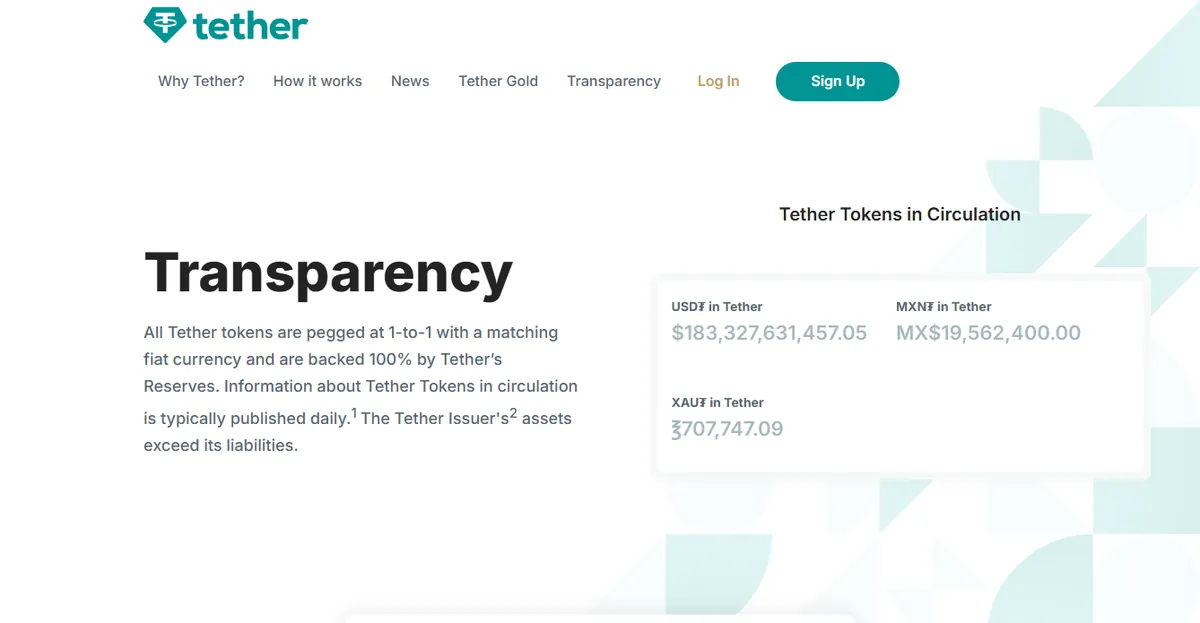
What follows from that is the whole article: a Tron address cannot receive an Ethereum token, because the Ethereum token does not exist on Tron. There is no router in the middle deciding what you meant. The transaction is either valid on the network you broadcast it to, or it never happens.
The mental model that causes trouble is the bank one. With a bank transfer there is a clearing system whose job is to work out where the money should go, and a human somewhere who can reverse a mistake. On-chain there is neither. The network you select is not a route to a destination; it is the entire universe the transaction exists in. Anything outside that universe — including the recipient's address on a different chain — is not "somewhere else", it is nowhere.
This is also why "just convert it back" is usually not available to you after the fact. Moving value from one chain's USDT to another chain's USDT means either selling on one side and buying on the other, or using a bridge, and both of those require you to control funds on the chain they are currently sitting on. If you do not, there is nothing to convert.
What actually differs between the three
| Tron (TRC20) | Ethereum (ERC20) | BNB Chain (BEP20) | |
|---|---|---|---|
| Typical withdrawal cost | Low | The highest of the three, and the most variable | Low |
| Confirmation time | Fast | Usually fast, degrades when the network is busy | Fast |
| Accepted almost everywhere | Yes — the common default for plain transfers | Yes | Widely, but not universally |
| Address format | Distinct: starts with T, has a checksum | Identical to each other: 0x followed by 40 hex characters | |
| Where it is the right answer | Moving USDT between exchanges or to a counterparty | The destination is an Ethereum application or contract | The destination is a BNB Chain application |
Deliberately no fee figures. Ethereum's cost in particular depends on network conditions at the moment of sending, and the platform sets its own withdrawal price with reference to that; a number written here would be fiction by next week. The withdrawal screen shows the current figure before you confirm — that is the one that applies.
Notice what the table does not say: it does not say "pick the cheap one." Cost is the tie-breaker, not the criterion. The criterion is compatibility with the destination. Notice also the row about address format, because that is the row that turns a mistake into a loss: two of these three chains are impossible to tell apart by looking at the address.
Where the fee number on the screen comes from
The withdrawal fee an exchange charges is not the network fee. It is a flat price the exchange sets per coin and per network, meant to cover the network fee plus its own handling, and it is adjusted when network conditions move. Binance says as much on its own fee page: withdrawal rates track the blockchain network and can change without notice.
Two consequences. First, the amount you pay does not vary with how busy the chain was at the exact second you clicked — it varies with what the exchange has decided the price is today. Second, and less obviously, the fee is charged per withdrawal, not per unit of value. Sending ten small amounts costs ten fees. Batching one transfer a week instead of one a day is, for most people, a larger saving than any amount of chain-shopping.
The one case where cheap is genuinely the answer
If you are moving USDT from one exchange to another, or paying a counterparty who accepts any of the three, then nothing downstream cares which chain it arrived on, and the low-cost option is simply better. This is most transfers most people make, which is why the low-fee chains dominate plain transfers in practice.
The case where cheap is the wrong answer
If the funds are going into an on-chain application — a decentralised exchange, a lending protocol, anything with a contract at the other end — then the only chain that works is the one that application runs on. Sending the cheap version leaves you holding the right value on the wrong network, and now you need a bridge, which is more cost and more risk than you saved.
The tempting shortcut here is to default to Ethereum because its ecosystem is the richest. That is a true statement about the ecosystem being used as advice about one specific transfer, which is guessing. The correct answer is to find out which chain your target application is actually on. If you cannot answer that, you are not ready to send.
Choosing by destination, not by price
Rather than trying to remember a ranking, work from where the money is going. There are only four situations that come up regularly.
To another exchange
Open the deposit screen on the receiving exchange first, select USDT, and look at which networks it offers. That list is the answer, and it is not the same list everywhere — smaller platforms often support two of the three, and a few support only one. Pick the cheapest network that appears on both screens. Do not pick from the sending screen and hope.
One detail worth knowing: some exchanges keep a network in the deposit dropdown but stop crediting it temporarily during a wallet upgrade or a chain incident, and say so in small text next to the entry. That text is worth the two seconds it takes to read.
To your own wallet, for storage
Here the constraint is not the wallet software — most wallets handle all three — but whether you will have the chain's native coin to pay for the next transaction. USDT sitting on Ethereum cannot be moved without ETH in the same wallet for gas. USDT on Tron needs TRX or staked resources. USDT on BNB Chain needs BNB.
People discover this at the worst possible moment: they want to move the funds, and the wallet refuses because the balance that pays for the move is zero. If you are sending USDT to a wallet you control, send a small amount of the chain's native coin too, in the same session, while you are still thinking about it.
To a person
Ask for the network in words, not by inference from the address. "Send me USDT, here is my address" is incomplete information even when the address is correct, and the person giving it to you often does not realise that. If the address begins with 0x, it is valid on both Ethereum and BNB Chain, and the address alone genuinely cannot tell you which one they meant.
When the amount is small
Check the minimum withdrawal for that coin and network before anything else. Every exchange sets one, it differs by network, and a withdrawal below it is simply refused. Also check what the fee is as a percentage of what you are sending: a fixed fee on a small transfer can be a double-digit percentage, and the sensible answer is usually to wait and send once rather than to hunt for a cheaper chain.
Reading the withdrawal screen
Every exchange shows the same four facts before you confirm, and they are worth reading in this order rather than the order they appear on screen.
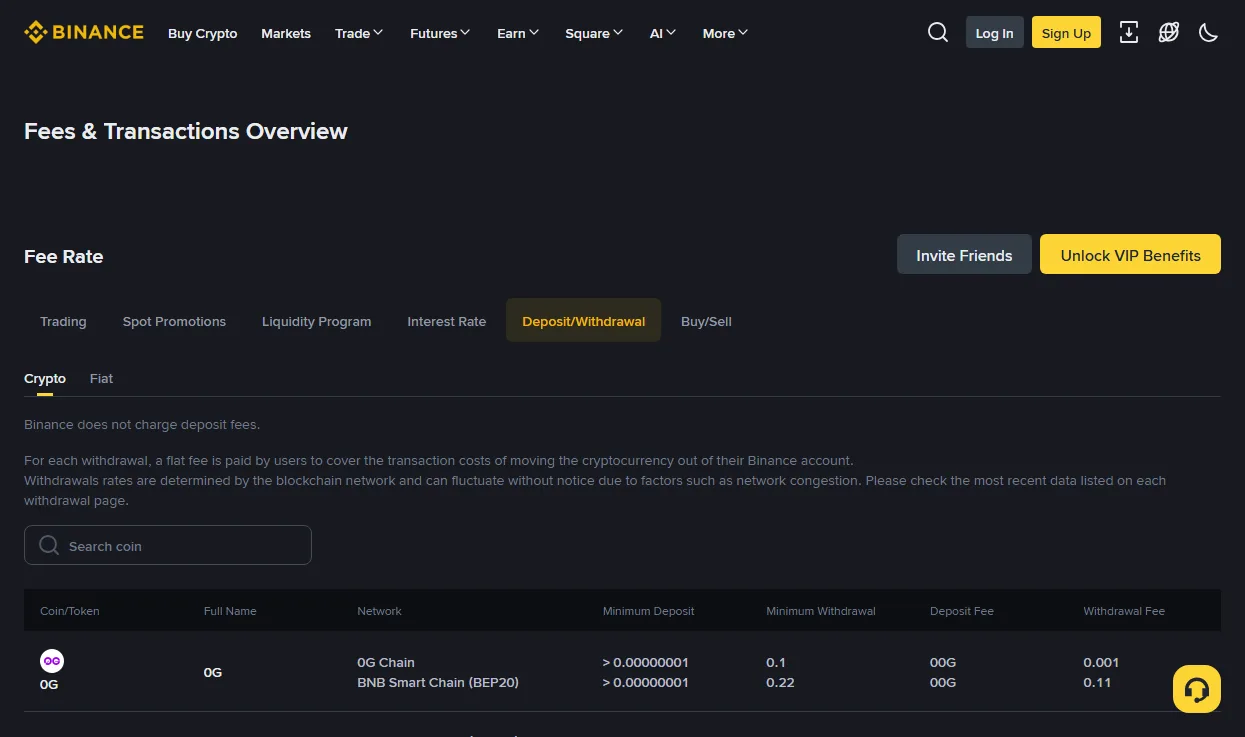
- The network label. Not "the chain I usually use". The exact label, matched against the deposit screen at the other end.
- The minimum. Below it, the withdrawal will not go.
- The fee, and the amount actually arriving. These are two different numbers. The recipient sees the second one, and if they are expecting the first there will be a conversation.
- Whether a memo or tag field appeared. If it did, it is required, whatever the label says.
If any of the four is unclear, the correct action is to close the screen, not to guess. The withdrawal will still be there in ten minutes.
The receiving side picks a chain too
Most guides cover the sending screen and stop. But the deposit screen is a choice as well, and getting it wrong fails in a quieter way.
When you generate a deposit address on an exchange, you select a coin and a network, and the address you get back is for that network specifically. On Ethereum-style chains the same address string is often reused across BNB Chain and Ethereum — but that does not mean the exchange will credit both. It credits the network you selected, because that is the one its systems are watching for that deposit.
So the failure looks like this: you generate an address after selecting BEP20, send on ERC20 because that is what the sending side defaulted to, and the transaction confirms successfully to an address that visibly exists. The block explorer shows it arrived. The exchange balance does not move, and nothing anywhere is labelled as an error. That is a support ticket, and it belongs in the "sometimes recoverable, never quickly" category below.
Why arrival times never match what you were told
"TRC20 arrives in a minute" is a statement about the chain, and the chain is usually the fastest part. The total time is three stages, and only the middle one is what people quote.
- The sending exchange's own processing. Before anything is broadcast, the platform runs its own checks — risk review, sometimes a manual one, sometimes a hold on the first withdrawal after a security change such as a new 2FA device or a changed password. This stage can be minutes or can be a day, and it has nothing to do with which chain you picked.
- Time on the chain. Usually the short part. This is the number in the comparison tables.
- The receiving exchange's confirmation threshold. The receiver decides how many blocks it wants to see before crediting you, and different platforms pick different numbers for the same chain. The funds are visibly on-chain and still not in your balance during this window, which is the stage that generates the most alarmed support tickets.
Practical consequence: when a transfer is "late", check the block explorer before contacting anyone. If the transaction is confirmed on-chain, you are waiting on stage three and there is nothing to do. If it does not exist on-chain at all, you are waiting on stage one, and the sending platform is the one to ask.
Sending on the wrong network: what is recoverable
What happens depends on the mismatch, and the outcomes are genuinely different.
The address format is invalid for the chosen network
The best case. The withdrawal form rejects it before anything is broadcast. Nothing was sent, nothing was lost, and you get to try again. This is the protection the address format validator replicates locally, so you can check before you paste rather than after.
The address format is valid on both chains
This is the dangerous one. Ethereum and BNB Chain use the same address format, so a transfer sent on the wrong one of those two is broadcast successfully and arrives at an address that exists — controlled by whoever controls that key.
If the destination is a self-custody wallet you control, the funds are usually retrievable: import the same seed phrase, switch the network, and the balance is there. You will need the chain's native coin for gas to move it, which is the practical obstacle. If the destination is an exchange, the key belongs to the exchange, and whether you get it back is entirely their policy.
It landed at an exchange that does not credit that network
The funds exist on-chain but do not appear in the account. Some platforms will recover these as a paid manual service with a stated fee and a stated list of supported cases, some will not, and either way it is a support ticket measured in weeks. The recovery request goes through the platform's own support channel and nowhere else.
The address itself was wrong
If the address is well-formed but belongs to someone else, there is no mechanism. No exchange, no support desk and no chain has a way to reverse a valid transaction to a valid address. This is the case with genuinely no remedy, and it is the reason test transfers exist.
Memos and tags: the other way funds go missing
Some assets — XRP and XLM being the common examples, and certain exchange deposit flows for others — require a memo, tag or note field in addition to the address. The address identifies a shared pool; the memo identifies you inside it.
Omit it and the transfer is broadcast successfully, arrives at a valid address, and cannot be attributed to your account. Nothing about the transaction looks failed. It just does not land anywhere that credits you.
Three habits that prevent it:
- Copy the memo before the address. Most people paste the address, feel finished, and click send. Filling the memo field first inverts that.
- Treat "memo optional" as "check anyway". Some interfaces label it optional because it is optional for the protocol, not for the recipient.
- Never type it by hand. A memo is a meaningless string, which means a typo in it looks exactly as plausible as the real thing. Copy and paste, every time.
What "the address looks right" actually proves
People check an address by comparing the first four and last four characters. That habit catches one kind of error and completely misses another, and it is worth knowing which is which.
Chains with a checksum
Tron and Bitcoin addresses have error detection built into the format. Change one character and the address becomes structurally invalid, which is why a mistyped Tron address is normally rejected by the form rather than sent into the void. This is real protection, and it is why the wrong-address case is rarer on those chains.
Chains without one, in practice
A plain lowercase Ethereum-style address — 0x followed by 40 hex characters — has no such property. Change a character and you get a different address that is just as valid as the original. There is a mixed-case checksum convention, and good wallets implement it, but it is a convention rather than a rule of the network, and interfaces that accept lowercase addresses cannot apply it.
So the honest summary is: on 0x chains, the address form itself protects you from almost nothing. What protects you is copy-paste discipline, a withdrawal whitelist so you are not typing anything, and a test transfer.
Worth naming the specific attack this enables: clipboard-hijacking malware watches for something that looks like a crypto address being copied and substitutes its own, chosen to have similar first and last characters. Checking four characters at each end is exactly the check that attack is designed to survive. Checking the middle, or checking against a whitelisted entry you saved earlier, is not.
The order that stops this happening
- Ask the receiving end for the network first, address second. In that order. An address without a stated network is incomplete information, and the fact that it looks like a valid address tells you nothing.
- Match the exact chain label on both screens. TRC20 to TRC20. Not "Tron-ish".
- Check whether a memo or tag is required, and fill it before the address.
- Send a small test amount first for a new destination or a large sum. The fee on a test transfer is the cheapest insurance in this entire subject.
- Wait for it to land before sending the rest. A test you did not wait for is not a test.
- Save the destination to your withdrawal whitelist once it has proved itself, so the next transfer is a selection rather than a paste.
If you want the decision walked through rather than remembered, the network picker asks the same questions in order. It will refuse to give you an answer if you have not confirmed what the receiving end supports, which is deliberate — that is the input the whole decision rests on.
Questions people ask afterwards
Can I convert TRC20 USDT into ERC20 USDT?
Not directly, and not by any action on the chain. The usual route is an exchange: deposit the TRC20 version, then withdraw the ERC20 version. Because you are depositing and withdrawing the same asset, you pay a withdrawal fee but no trading fee. Bridges do the equivalent job without an exchange account, and add smart-contract risk in exchange for that convenience.
Is TRC20 always the cheapest?
It is usually among the cheapest for plain USDT transfers, but "cheapest" is set by each exchange per network and it moves. More importantly, cheapest is not the question — a cheap transfer to a chain your destination does not support costs far more than the fee it saved.
Why did my transfer arrive with less than I sent?
Because on most withdrawal screens the fee is deducted from the amount rather than added to it. The screen shows both numbers before you confirm; the second one is what the recipient sees. If the recipient is a merchant or a counterparty expecting an exact figure, send the fee-inclusive amount.
I sent to the right address but selected the wrong network. Is it gone?
It depends on who controls the key at that destination on the network you actually used. Your own wallet: usually recoverable, and you will need the native coin for gas. An exchange: their policy decides, and the request goes through their support channel. Nobody who messages you offering help is going to be the answer.
Does this apply to coins other than USDT?
Yes, to any asset issued on multiple chains — the stablecoins in particular, but also wrapped assets and exchange tokens. The rule is the same everywhere: the network is part of the address, even when the interface presents it as a separate field.