
Settle these before you open the page
Most of the pain in this process comes from decisions made carelessly in the first thirty seconds. Four of them are worth a moment.
Which country your documents say you are in
Your verification documents, your phone number and your payment methods should tell a consistent story. Not because there is a rule requiring it, but because inconsistency is what triggers manual review, and manual review is where days disappear. If your passport is from one country, your phone number from a second, and your bank account in a third, that is a perfectly ordinary life — it is also the profile most likely to get a second look.
Also worth checking up front: whether the platform serves your jurisdiction at all, and which product lines are restricted there. Availability differs by country and changes; nothing on this site can tell you the current answer for your address, and neither can a forum post from last year. The registration flow will usually tell you fairly early.
Which email address
Use one you will still control in five years, with its own password and two-factor authentication on it. Whoever holds your email holds most of your recovery paths. Never a work address.
Phone or email as the primary identifier
Both work. The difference shows up later. A phone-number account becomes awkward when you change numbers, especially across countries; an email account travels better. If there is any chance you will move country or change carrier, email is the more durable choice.
Have the documents ready as physical objects
Not photos of documents — the documents. Verification will ask you to hold one up to a camera, and the failure modes are all physical: glare from a laminated card, a document that has expired, a photo of a photo. Have the actual passport or ID card next to you, and do this in a room where you can control the light.
The registration screen itself
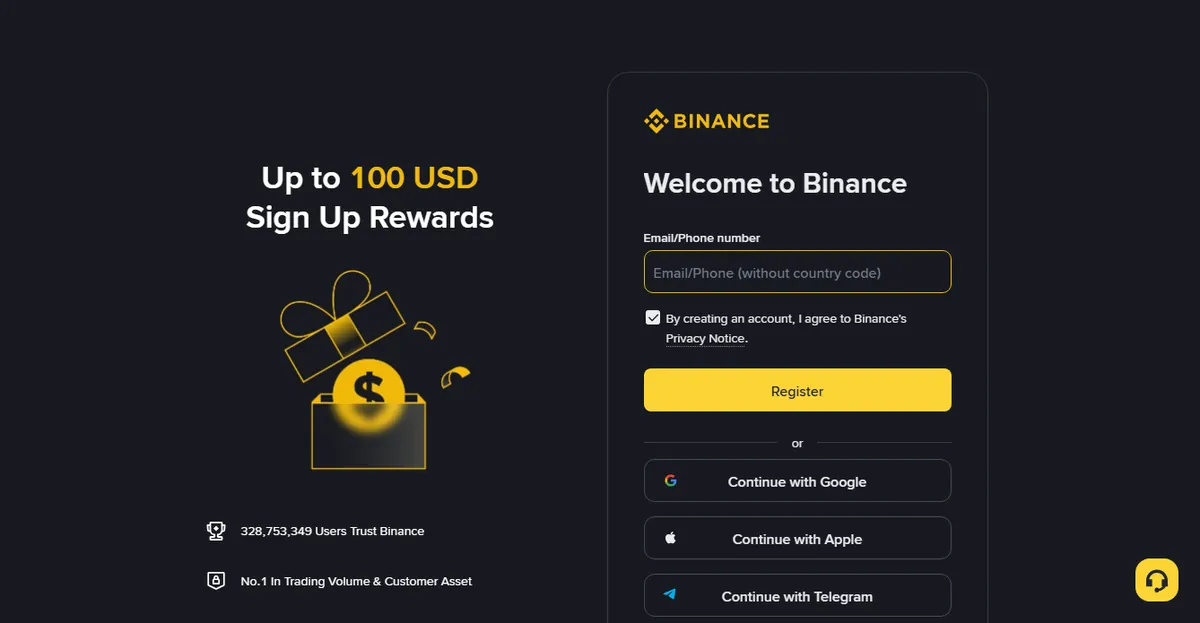
There is very little on it. An email address or phone number, a password, and a verification code. The only field that deserves thought is the password.
Do not reuse this password
This matters more here than on an ordinary site, because of how the attack actually works. Attackers hold enormous lists of leaked email-and-password pairs and replay them against every site worth money. If the password you used on some forum is the same one you use here, then the security of this account equals the security of that forum — which may have been breached three years ago without you ever hearing about it.
A password manager is the standard answer: let it generate twenty-something random characters and remember only the master password. If you genuinely will not use one, the fallback is a long passphrase used nowhere else. Length beats complexity — four or five unrelated words strung together is considerably harder to crack than something like P@ssw0rd!, and much easier to type on a phone.
The third-party sign-in buttons
Continuing with Google, Apple or Telegram works and saves a step. It also means your exchange account inherits the security of that account, and that losing access to it is a more complicated problem than forgetting a password. Our position: use a dedicated email and password, and put strong two-factor on both. It costs you thirty seconds now and removes an entire category of recovery headache later.
Once registration completes the account exists — but it is unverified, and an unverified account can do very little. What determines how usable it is comes next.
Where the referral code goes
Direct answer: the referral code field is part of the registration flow, not a setting you fill in afterwards. It is usually behind a collapsed "Referral code (optional)" toggle, and if you do not expand it you will never see it.
This deserves its own section because it is irreversible. The referral relationship is bound at the moment the account is created; once the account exists there is normally no entry point to add one. Plenty of people remember two weeks later, at which point there are exactly two real options: ask official support whether anything can be done, or accept that this layer is not there.
Do not open a second account to "start over." Binance's Terms of Use (linked in the sources below) limit each user to one account, so a duplicate sits outside the terms from the moment it exists. What the platform does about that is the platform's decision; the terms do not spell it out, and we are not going to predict it for you. If you think your case is genuinely an exception, that is a question for official support, not for us. Either way, putting a working account at odds with the terms to recover a fee discount is a bad trade.
Entering a referral code does not normally add to your cost. Whatever you get comes out of the referrer's commission share, not out of your pocket as an extra charge. Do not expect a fixed percentage, though. As of September 2026 the public campaign page hands this out as fee-rebate vouchers with conditions attached — fund the account, complete a trade, then the voucher counts. The shape of it changes; the fee article has the current wording and a screenshot, and what applies is whatever that page says on the day you sign up.
This site's invite code is BNB608
Registering with it gets you whatever fee rebate Binance is running for new users at that moment. Percentage or voucher, how much, and whether it requires you to fund and trade first — that is on their page on the day, not ours. You can also type the code into the referral field yourself; the effect is identical.
Go to the Binance registration page
This is a referral link. Whether you use it is your call; typing the code manually does the same thing and normally does not add to your cost either way. What you actually get, and how much, is decided by Binance's campaign at the time; we promise no figure. This site is not Binance; the revenue structure is set out in full on the disclosure page.
Checking that it actually went in
Before you submit, look at the referral field one more time. Some browsers' autofill will wipe the contents of a collapsed section when it fills the fields above it. After registration, some accounts can see their referring relationship on the referral or rebate page in account settings; if it shows, it is bound. If it does not show, that is not conclusive — the display logic differs between versions.
If you care about this a lot, the reliable method is to copy the code to your clipboard before you start and paste-and-read it character by character, rather than checking it from memory.
Identity verification: what it actually wants
Verification has two halves that fail for completely different reasons, and treating them as one problem is why people get stuck.
The document half is a data problem. Name, date of birth, document number and expiry have to be legible and have to match what you typed. Common failures: an expired document, a name entered in a different order or transliteration than the document uses, a glare band across the machine-readable strip, a corner cropped off.
The face half is an imaging problem. It is comparing a live capture against the document photo, and almost everything that goes wrong there is environmental rather than about you.
Preparing the document capture
- Use the original, not a copy. A photocopy, a scan on a screen, or a photo of a photo will usually be detected and rejected.
- Kill the glare. Laminated cards reflect. Move away from direct overhead light and from windows; diffuse indirect light is what you want. Tilting the card slightly often solves it faster than moving the lamp.
- Fill the frame, keep the edges. All four corners inside the frame, no fingers over text.
- Check the expiry date first. An expired document fails every time, and people do not think to look.
- Type the name exactly as printed. Including the order, the hyphens and the accents. If your document renders your name in a form you never use, use the document's form anyway.
Reading the rejection message
The single most useful habit in this whole process is to treat the rejection notice as data rather than as a verdict. It is short, it is often generic, and it is still more informative than anything you can infer from how long the wait was.
Rejections cluster into a small number of shapes. The wording differs between versions and languages, but the underlying category is usually identifiable, and the category tells you what to change.
| What the notice says, roughly | What it is usually about | What to change |
|---|---|---|
| Document unclear, blurred, or unreadable | Image quality on the document capture | Light and focus, not the document. Move away from overhead light, tilt the card to kill the glare band, and let the camera settle before the shutter fires. |
| Information does not match | What you typed against what is printed | Retype the name exactly as printed — order, hyphens, accents, middle names, everything. Then check the date of birth and the document number character by character. |
| Document type not supported / not accepted for your region | The document itself, not the capture | Use a different document from the accepted list for your country. A residence card or a driving licence is sometimes accepted where a national ID is not, and sometimes the reverse. |
| Document expired or not valid | The expiry date | Nothing you can do in the app. Renew the document first. People genuinely do miss this, because nobody looks at the expiry date on a card they use every week. |
| Face verification failed / liveness check failed | The live capture, almost always the environment | Work the list in the next section, changing one thing at a time. |
| Under review / additional review required | Nothing has been rejected yet | Wait. This is not a failure notice, and reacting to it as though it were is the mistake that costs the most time. |
| Attempt limit reached, try later | A rate limit, not a judgement | Stop. Use the pause to fix whatever actually caused it, rather than to compose an appeal. |
| Anything mentioning risk, compliance or restriction | Something outside the document flow | This one does not get solved by resubmitting. Go to official support with the exact wording in front of you. |
Two things this table is not. It is not a translation key — the exact strings change, and yours may not match any row. And it is not a list of guaranteed causes; a message can be generic precisely because the platform does not want to explain its detection logic in public. What the table gives you is a better first guess than "resubmit the ID and hope", which is what most people do.
When the face check keeps failing
This is where most people stall, and the instinct — resubmit the ID again — is usually wrong, because the ID was not the problem.
Work through these in order, starting with what is easiest to change:
- Light. Even, front-on, no window behind you. Backlighting turns your face into a silhouette and defeats the comparison entirely. This one alone fixes a large share of failures.
- What is on your face. Glasses off, hat off, hair off the forehead, mask off. Anything that shadows or occludes the face is a problem, and reflective lenses are worse than they look.
- The camera. Wipe the lens. Then, if it is still failing, switch devices — a recent phone's front camera generally outperforms a laptop webcam by a wide margin.
- Position and motion. Hold the phone at eye level, arm's length, and follow the on-screen prompts slowly. Rushing the head turn is a common cause of a rejected capture.
- The network and the app. A capture interrupted mid-upload can present as a rejection. Try a stable connection, and try the app if you were on the web, or the reverse.
Change one thing at a time. The reason is practical: some accounts hit a submission cap and have to wait before retrying, so scattergun retries burn your budget without teaching you anything.
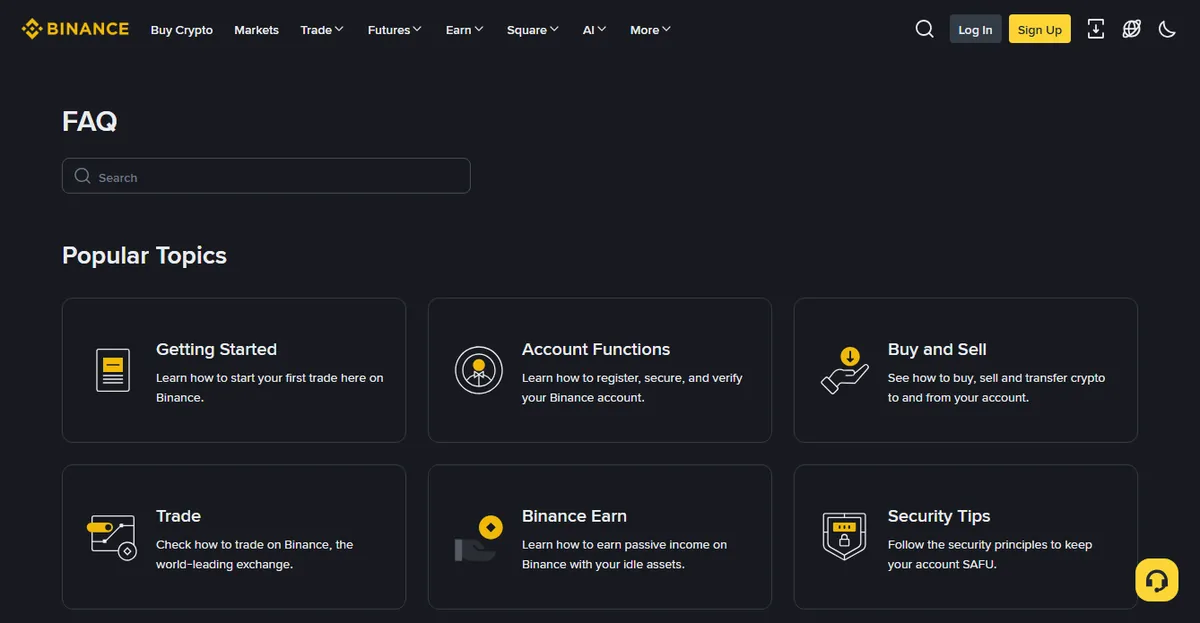
If verification is still failing after you have genuinely worked through the list, the next step is the official help centre, not another attempt. There is a fuller walkthrough in identity verification keeps failing.
What account levels and limits really mean
Verification is not one gate but a ladder, and each rung unlocks a different set of things. The exact tier names and the exact numbers vary by region and change over time, so what follows is the shape, not the values.
| State | Typically requires | What it gets you |
|---|---|---|
| Registered, unverified | Email or phone only | Browsing, and very little else. Deposits and withdrawals generally not available. |
| Basic verification | Government ID plus a face check | The ordinary set: deposit, trade, withdraw, within a limit band |
| Higher tiers | Proof of address, sometimes source of funds | Larger limits; sometimes required for certain local-currency deposit methods |
Two practical notes. First, limits are usually stated per period rather than per transaction, so an amount that looks fine can still be refused because of what you did earlier in the window. Second, the limit shown on your own account page is the only one that applies to you — regional caps differ, and an article's number is a guess about somebody else.
Our position on going straight to the highest tier: do not, unless you need it. Higher tiers ask for more documents, and every document you hand over is one more thing that exists in someone else's database. Verify to the level the thing you actually intend to do requires, and go further when you hit a wall.
If your country is restricted, or you move
Availability is not uniform, and it is not stable. A platform can serve a country fully, serve it partially, restrict specific product lines, or not serve it at all — and each of those states has changed for real markets within the last few years.
The check is a five-minute job
Before you open the account, look up whether the platform is licensed or registered where you live, on the regulator's own register rather than on the platform's marketing. Whether a global platform is inside or outside your local framework decides something concrete: if you have a dispute, is there anyone in your jurisdiction to complain to. We go market by market in regional on-ramp differences, with the register links, and we do not soften the answer for the markets where it is inconvenient for us.
What we will not tell you to do
The advice you will find on forums is to pick a country with friendlier rules and register as though you live there. Our position is flatly against it, and not for moral reasons.
It fails at the worst possible moment. Registration with mismatched details generally works; deposits generally work; the problem surfaces when you try to withdraw a meaningful amount, or when an ordinary review asks for proof of address, and suddenly nothing you can produce matches what the account says. At that point the money is inside and the paperwork does not support taking it out. The people who write "it works fine" are almost always describing the first half of that sequence.
It is also a term-of-service breach at minimum, which means the platform's own rules are on the other side of any dispute you might have.
Moving country with an existing account
This one is ordinary life, not evasion, and it comes up constantly — students, people on secondment, anyone who emigrates. A few things to expect:
- Update the residence details, but not on day one. Changing the country on an account usually triggers a fresh proof-of-address requirement, and you cannot satisfy it until you have a document with your new address on it. Wait until you have a bank statement or a utility bill, then change it.
- Expect the product set to change. Some features are region-gated. Something you used weekly can simply stop appearing, and that is a policy difference rather than a fault.
- Expect the payment methods to change. The local payment methods on the deposit and P2P screens are keyed to region and currency, and the new set may be entirely unfamiliar.
- Deal with the old jurisdiction before you leave, if you can. While you are still there you have a local bank account, a local address you can evidence, and a history with both. All three get harder to use from four thousand kilometres away. If you know you are moving and you have crypto to convert, doing it before the move is usually much less work than doing it after.
- Tax residence can overlap in the year you move. That is a question for a local professional in at least one and possibly two countries, and it is not one to answer from a forum thread.
Four settings to do before you deposit anything
Do these while the account is still empty. It takes ten minutes, and the whole point is that it is done before there is anything to lose.
- App-based two-factor, not SMS. If you set only one thing, set this. SMS codes can be taken by SIM swap without any access to your phone; the US NIST digital identity guidelines have treated out-of-band authentication over the public telephone network as a restricted authenticator since the 800-63-3 generation, and the current NIST SP 800-63B-4 revision keeps that position. An authenticator app or a hardware key does not have that failure mode.
- A withdrawal address whitelist. This converts "attacker drains account instantly" into "attacker has to wait out a delay window", and that window is the thing that saves you.
- An anti-phishing code. A short string you choose that appears in genuine emails from the platform. Its value is that it is a negative test: an email without it is fake, no matter how good it looks.
- Check the active device and session list. Know what is supposed to be there so an unfamiliar entry means something later.
The reasoning behind the ordering, and what each one does and does not protect against, is in exchange account security.
Losing access: plan it before you need it
Everything in the previous section is about keeping other people out. This section is about the opposite failure, which is more common and which almost nobody prepares for: keeping yourself in.
Think about what actually happens if your phone goes into a river tomorrow. Your authenticator app was on it. Your SMS number was on it. The email account you would use to recover both may have had its own two-factor on the same device. That is one object between you and everything, and the failure is not exotic — phones get lost, stolen, wiped by a botched update, or simply replaced by a shop that migrates everything except the one app that refuses to migrate.
Four things to do now, while nothing is wrong
- Save the authenticator's recovery codes or seed on paper. When you set up an authenticator app, it gives you a secret — a QR code, a string of characters, or a set of one-time backup codes. Write it down and put it somewhere physical. Not a screenshot in your photo library, which syncs to a cloud account that is protected by, among other things, this same authenticator.
- Put the authenticator on two devices, or use one that syncs. An old phone in a drawer, set up once and left alone, solves most of this problem for zero ongoing effort.
- Secure the email account to the same standard. It is the root of the tree. If the email is weaker than the exchange account, then the exchange account is only as strong as the email, whatever you did on the exchange itself.
- Write down which methods are attached to the account. Which email, which phone number, which authenticator, whether a whitelist exists. When you are trying to recover access under stress, the thing you most need is an accurate memory of the setup, and that is exactly what stress removes.
The first day with a working account
Verification passed. There is a natural instinct at this point to deposit a real amount and start, and it is worth resisting for about an hour.
What you have not yet tested is the part that matters most: whether money can get back out. Deposits almost always work. Withdrawals are where account limits, regional payment options, bank policies and platform holds all show up, and they show up at the moment you need them not to.
Run a small round trip first
- Deposit a small amount. Small enough that losing it entirely would be annoying rather than damaging. The point is to confirm the route exists and to see the real cost, which is usually not the number labelled "fee".
- Do one small trade. This is how you find out what the fee actually was on your account, as opposed to what the fee schedule says. There is a full breakdown of where the layers stack up in how fees are calculated.
- Withdraw a small amount, all the way back. Not to another account inside the platform — all the way back to the bank account or wallet you would really use. This is the step people skip, and it is the only one that proves the exit works.
- Write down what each step actually cost and how long it took. Once. You will use these numbers as a baseline every time something looks wrong later.
The whole exercise costs a small amount of money and about a day of waiting. What it buys is the discovery of any blocking problem while the stake is trivial. Our position: if you are not willing to do a test round trip, you are not ready to move an amount you would miss.
If the withdrawal is where it goes wrong — the bank rejects it, the transfer arrives and then the account is restricted — that has a page of its own, and it is the one to read before rather than after: cash in and cash out.
Sub-accounts, business accounts, other people's accounts
Three related questions that get answered wrongly in the same way, which is by treating them as a route around the one-account rule.
Sub-accounts
Some account types can create sub-accounts. They are a structuring feature — separating strategies, isolating an API key, keeping a set of activity in its own ledger — and they hang off your existing verified identity rather than establishing a new one. They are not a second identity, they do not get you a second referral relationship, and they do not reset anything.
Business or corporate accounts
A different process with a different document set: incorporation documents, ownership structure, sometimes information about directors and beneficial owners. It is slower and more demanding, and it exists for entities that genuinely operate as entities. It is not a personal account with extra steps, and using one to get around a personal restriction is the kind of idea that looks clever until someone reads the ownership documents you filed.
Someone else's account, or someone else's documents
The short version: no. Not a family member's, not a friend's, not one you paid for.
The reason is worth stating concretely rather than as a warning. An account whose verified identity is not the person operating it fails at withdrawal, because withdrawal is where identity gets checked again and where a mismatch is most visible. If the account is frozen, the person who can talk to support is the verified owner — not you. If the relationship sours, the account is legally theirs and the money is in it. And if the account is used for something you did not do, the name attached to it is theirs, and the explaining will be done by both of you. Every part of that goes wrong at once, and it goes wrong at the point where money is involved.
Questions that come up afterwards
I forgot the referral code. Can I add it now?
Normally no — it binds at account creation. You can ask official support, but expect the answer to be no. What you should not do is create a second account: Binance's Terms of Use limit each user to one account, so a duplicate sits outside the terms from the start, and what the platform does about it is its decision, not something we will predict for you. Accept the missing discount and move on.
Can I verify with a different person's documents?
No, and the consequence is not a warning. An account whose verified identity does not match the person operating it is at risk of being frozen at exactly the moment you try to take money out — which is also the moment you can least afford it. This is the single most expensive shortcut in the whole process.
How long does verification take?
When it works, quickly. When it goes to manual review, it can take considerably longer, and we are not going to invent a number for either. On the widely repeated claim that resubmitting during an open review sends you back to the end of the queue: we have not found an official statement that says so, and we are not going to assert it as fact. What we can say without inventing a mechanism is that resubmitting while a review is open has no published way of speeding it up, so the cautious default is to wait for a decision and act on what it says.
Do I have to complete verification at all? I only want to hold a little.
In practice, yes, if you want the account to do anything. An unverified account can generally browse and not much else; deposits and withdrawals are the things that get gated. There is no version of this where you keep money on a platform you have not verified with and can still take it off.
It says my document type is not supported. Is that final?
Not necessarily — the accepted list is per country, and it usually contains more than one option. If a national ID is refused, try a passport; if a passport is refused, check whether a residence permit or driving licence is on the list for your country. What does not help is submitting the same refused type again with a better photo.
Should I go straight to the highest verification tier?
Our position is no, unless you need it. Every additional tier asks for more documents, and every document you hand over is one more record living in someone else's database. Verify to the level that the thing you actually intend to do requires, and go further when you hit an actual wall rather than a hypothetical one.
Can I change my email or phone number later?
Usually yes, and it usually triggers a security cooldown — a period during which withdrawals are held. That is a feature, not a fault: it is the same delay that protects you if someone else changes those details. Plan the change for a week when you do not need to move money, rather than discovering the hold at the worst moment.
Is this site connected to Binance?
No. We take part in a public referral programme that anyone can join; that is a commercial arrangement on our side, not a relationship on theirs. This site is not partnered with, authorised by, reviewed by or endorsed by Binance, and cannot help you with your account. The full revenue structure, including which pages carry a referral link and which do not, is on the disclosure page.
The account is open. What next?
Before moving real money, read cash in and cash out. Getting money in is the easy half; the part worth planning in advance is how it comes back out.
Sources
- Binance, Terms of Use — for the one-account-per-user rule and the requirement to complete identity verification before using the services.
- Binance, official help centre — the only place that can answer a question about your specific account.
- US National Institute of Standards and Technology, SP 800-63B, Digital Identity Guidelines: Authentication and Authenticator Management — for the treatment of SMS one-time codes as a restricted authenticator.
Account levels, limits, document requirements and review times are set by the platform and change; every number on your own account page overrides every number in this article. Where we could not find a published source for a claim, we say so in the text rather than stating it as fact. Claims on this page that have since been changed or withdrawn are dated in the corrections log.