How many P2P orders can you cancel on Binance in a day?
Three, but it's three per kind of reason, not three in total. The help article How to Cancel Your Binance P2P Buy Order? (published 2023-03-16, marked updated 2025-12-28 on the English page) ends with a section on cancellation limits that splits them like this:
- Buyer-side reasons: a taker buyer can cancel up to 3 times a day, and cancellations by the system and expired orders count toward those 3. An order that times out because you didn't pay in time uses up one of them just as if you'd pressed the button.
- Seller-side reasons: a taker buyer can pick this reason up to 3 times per calendar day. A maker buyer has no limit here.
- Additional KYC not completed: orders cancelled by system timeout for this reason are allowed up to 3 times a day.
Go over any one of them and your P2P functions are suspended: no new orders until 24:00 UTC that day.
Taker and maker are Binance's own terms. If you tapped someone else's ad to buy, you're the taker. You're only a maker if you posted your own buy ad and waited for sellers to fill it, so if you buy by tapping ads, the "no limit" line doesn't apply to you.
When does the restriction end in your time zone?
24:00 UTC is midnight in Coordinated Universal Time. On a local clock that's:
- 05:30 the next morning in India;
- 08:00 the next morning in Singapore, Hong Kong, Manila and Kuala Lumpur;
- 01:00 in Lagos;
- midnight in London in winter, 01:00 in summer;
- 20:00 the same evening in New York during daylight saving time, 19:00 in winter.
So the lock isn't a rolling 24 hours. Say you're in Singapore and your third cancellation lands at 10 a.m.: you wait about 22 hours, until 8 a.m. tomorrow. The same third cancellation at 7:30 a.m. clears half an hour later.
The UTC day also catches people out from the other side. In Singapore it starts at 8 a.m., so two cancellations at 11 p.m. and one more at 7 a.m. the following morning all fall on the same UTC day.
Where the cancel button is, and what the reasons do
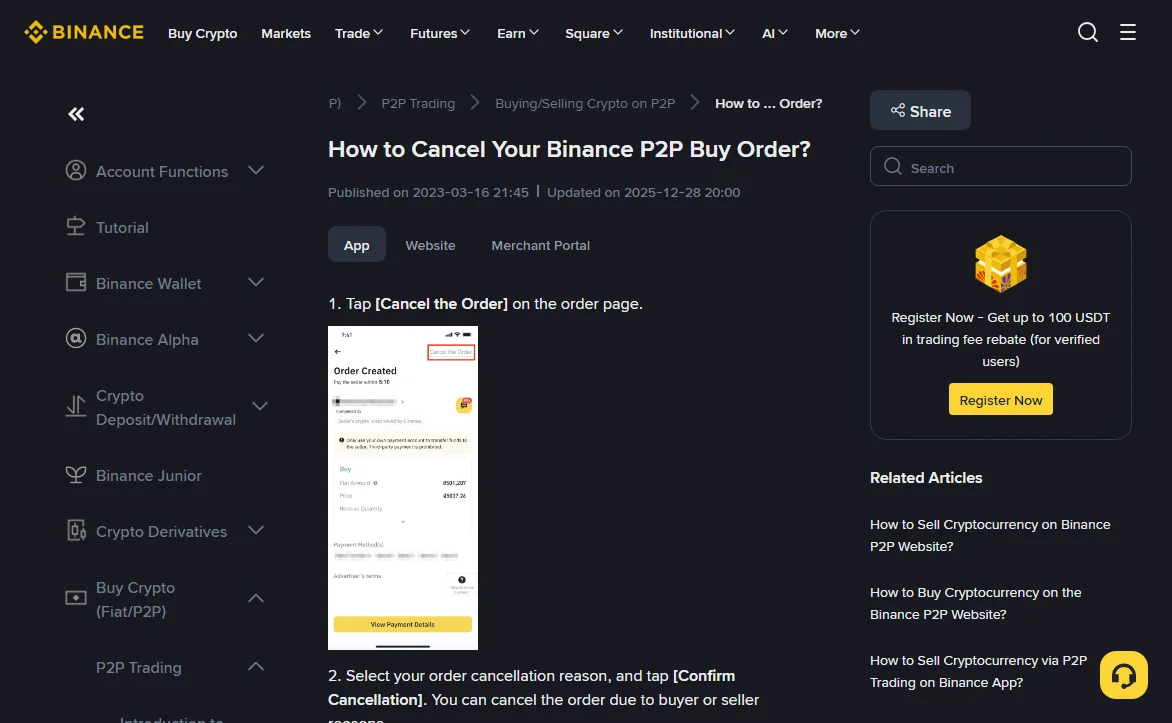
The page lists two steps: tap [Cancel the Order] on the order page, pick a reason, then tap [Confirm Cancellation]. The reasons come in two groups, buyer-side and seller-side.
2026-10
A seller-side reason doesn't cancel the order straight away. The seller gets 10 minutes to accept; if they do nothing, the system confirms the cancellation.
The notes on the same page also cover completion rate, which is a separate number from the daily cap:
- A cancellation caused by the system timing out lowers the buyer's completion rate.
- If you've messaged the seller in chat and they haven't replied within 15 minutes, cancelling won't affect your completion rate.
Leave a message, wait out the 15 minutes, then cancel. That protects your completion rate, though nothing on the page suggests it spares you a slot in the daily three.
Already paid? Don't cancel
The first line of that page's notes reads: "Please do not cancel the order if you have already paid the seller."
What happens if you do is set out in the Binance P2P Appeal Handling Rules, which apply to non-CNY trades. Under the buyer's appeal for a cancelled order, customer service will do its best to contact the seller for a refund when the system cancelled a paid order on timeout or a paid order was cancelled by mistake. If the seller refuses to refund, Binance is not responsible for the loss.
Once the order is cancelled, the crypto that was held for it goes back to the seller. You're left with a bank receipt and a request. If you've paid, mark the order as paid. If the seller then sits on the release, appeal the order. Cancelling and placing a new one won't fix it.
If you've already cancelled a paid order, Binance has a separate guide, How to Appeal for Canceled/Completed P2P Orders: open that order from your P2P order list, use its help option, describe what happened and attach your payment proof. The sooner you file it, the better, because the seller may not have moved the money yet.
Check the Restrictions Removal Center first
The daily cap is only one reason P2P can be restricted. The guide How to Lift My Binance P2P Account Suspension? (marked updated 2025-12-28 on the English page) gives one place to see which reason applies to you:
- On the website go to [Trade] - [P2P], open [P2P User Center], then the [Restrictions Removal Center] tab.
- With no restriction you'll see "No restrictions found".
- With a restriction you'll see five fields: suspended function(s), reason(s), specific case ID(s), effective suspension time, and status.
- If P2P is blocked but nothing shows here and there's no appeal option, the guide says to contact Binance Customer Support.
2026-10
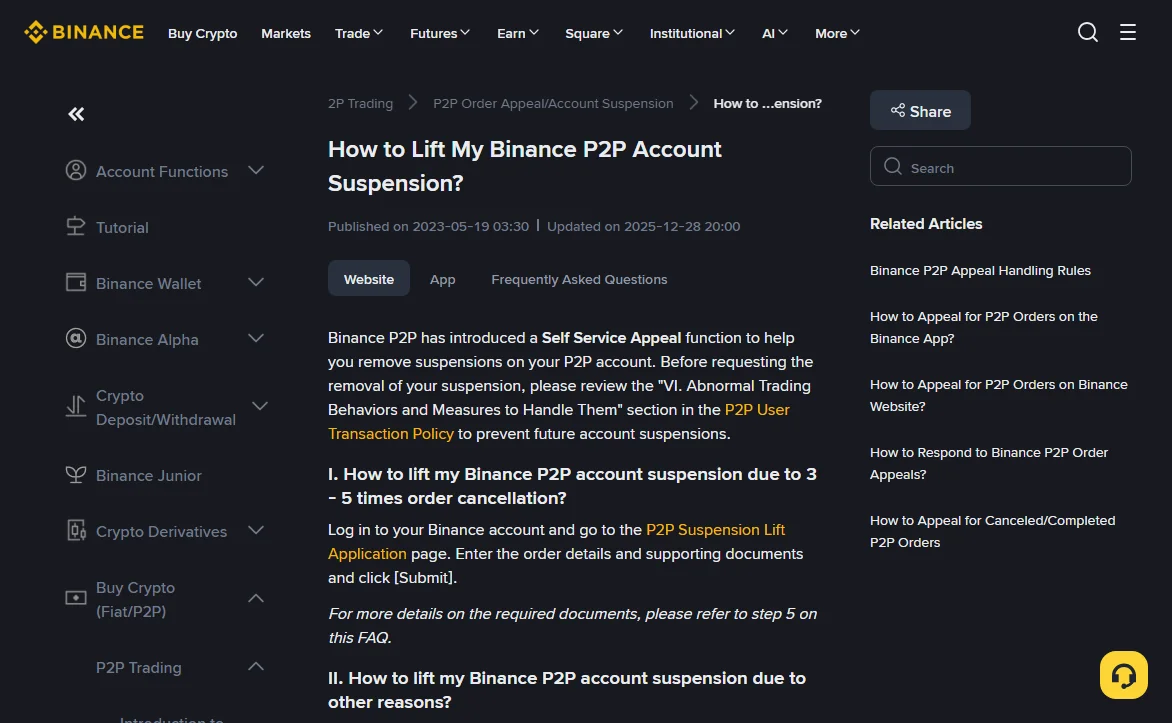
- Suspended after 3 to 5 cancellations: use the separate P2P Suspension Lift Application page, enter the order details and supporting documents, and submit.
- Any other reason: in the Restrictions Removal Center, click [Submit appeal] next to the suspended function. A status of "Appeal unavailable" means self-service doesn't cover that reason, and you'll be sent to a support chat.
What a P2P suspension appeal asks you to upload
The form shows which items your reason needs. The guide describes four kinds, and the requirements are specific:
An identity video
You, on camera, holding the information page of the ID you verified your Binance account with, reading this statement: "I am (full name), I trade (cryptocurrency name). I guarantee that the source of funds is legal, and that any information or materials submitted is true, legal, and complete. Cryptocurrency or fiat money is not used for any illegal purpose. I bear legal responsibility for my actions." No editing or synthetic-video tools, 30 MB at most, mp4, mov or rmvb.
A payment proof video
Open your bank or payment app from Google Play or the App Store, show the login (password hidden) and the payment to the seller, including date, time and both parties' account details. It has to be filmed on a second device. Screen recordings and edited videos aren't accepted, and the guide asks for good lighting and a moving background.
Three months of bank statements
Enter either the full card number or the first 6 and last 4 digits, then upload statements or online-banking screenshots showing your name, the card number and your earlier Binance transactions. If you have no successful deposits, a screenshot of a failed one is accepted. Don't show the full card number or the CVV. Up to 8 files, 10 MB each, as PDF, JPG, JPEG or PNG.
Other supporting documents
Chat logs, payment receipts, ad price history, screenshots of when the money arrived: up to 20 files, 30 MB each.
You can add up to 10 related orders to one appeal, which is optional but recommended. While one appeal is under review you can't file another. The suspension guide says appeals are usually reviewed within 30 minutes, and the result is sent by SMS or email. If you're rejected, the link in that email shows why, and [Try Again] lets you resubmit.
Is it worth appealing, or should you just wait?
It depends on the effective suspension time. If it says 00:00 UTC today and that's a few hours away, two videos and three months of statements will probably take longer than the wait. If the date is days off, or the reason listed isn't about cancellations at all, then putting the evidence together makes sense.
Avoiding the cap next time
- Read the ad terms, the payment methods and the order limits before you tap Buy. Finding out after the order is created that you can't pay is a buyer-side cancellation.
- Once an order exists, pay within the time limit and mark it as paid. If you can't pay, cancel it yourself rather than letting it time out: both use a slot, but a timeout also costs completion rate.
- If Binance has asked you for additional verification, finish it before ordering. That timeout category has its own cap of three too. If verification itself keeps failing, our KYC troubleshooting piece goes through it step by step.
For which numbers on a seller's profile actually help you avoid bad trades, see choosing a P2P counterparty.
Sources
- Binance Support, How to Cancel Your Binance P2P Buy Order? (marked updated 2025-12-28, read 2026-10) — cancel steps, the seller's 10 minutes to accept, the 15-minute no-reply note, the three daily caps and the suspension until 24:00 UTC, and "do not cancel if you have already paid".
- Binance Support, How to Lift My Binance P2P Account Suspension? (marked updated 2025-12-28, read 2026-10) — the P2P Suspension Lift Application for 3 to 5 cancellations, the Restrictions Removal Center fields, [Submit appeal] and "Appeal unavailable", the four evidence types and their limits, the 30-minute review and the 10-order limit.
- Binance Support, Binance P2P Appeal Handling Rules (marked last updated 15 October 2024, read 2026-10) — non-CNY scope; buyer's appeal item 1 on paid orders that were cancelled and refusals to refund.
Local times are converted from 24:00 UTC. The Chinese version of the cancellation page shows a later update date (2026-05-21) than the English one. The limits quoted here read the same in both.
Quick questions
If the seller never replied and I cancel after 15 minutes, does it still count toward my three?
The help page only says that this kind of cancellation won't affect your completion rate. It doesn't say the cancellation is exempt from the daily cap, so plan as if it counts.
I'm the seller. Do these limits apply to me?
The cancellation page is written for buy orders and frames every limit around buyers (taker buyers and maker buyers). It doesn't set out a cancellation cap for sellers.
Will an appeal unlock me before midnight UTC?
The suspension guide says appeals are usually reviewed within 30 minutes and that P2P functions return to normal once an appeal is approved. It doesn't promise approval, and evidence that is missing or irrelevant can get the appeal rejected.