What Binance's rules say: no release, full refund
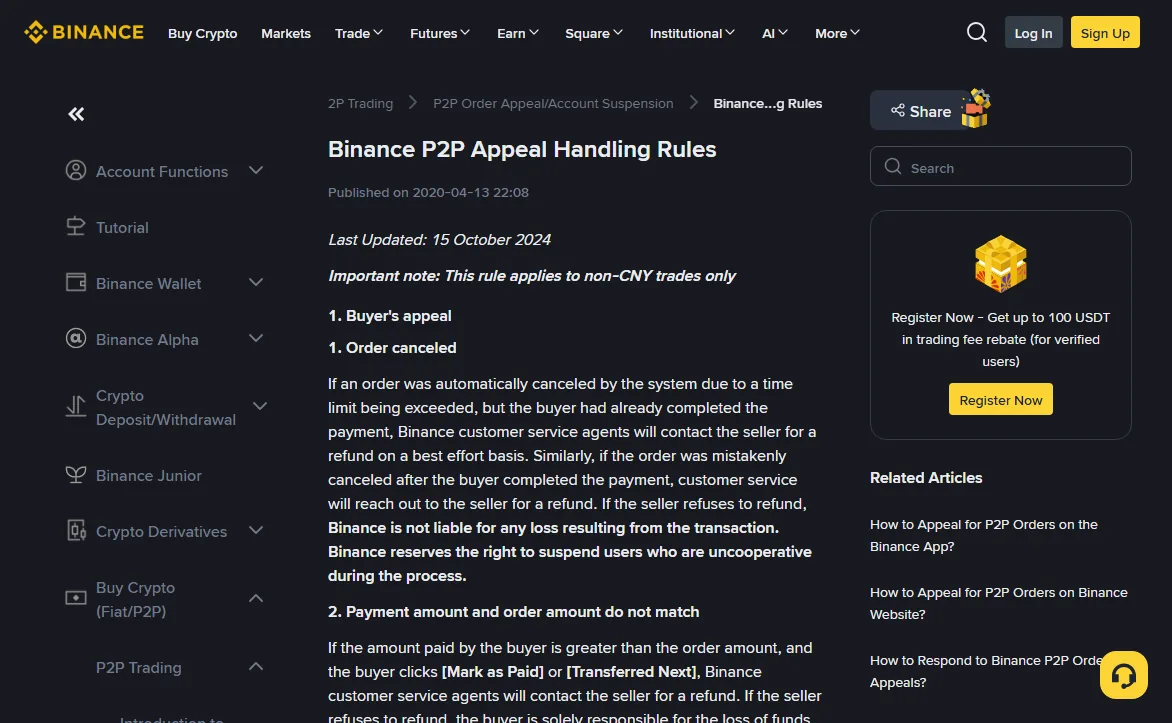
Binance's help centre has a page called Binance P2P Appeal Handling Rules. Under the seller's appeals, item 2 covers the case where the verified information or the amount paid does not match. On names, the wording is direct: if the name on the buyer's payment account doesn't match their verified name on Binance P2P, the buyer's P2P function is suspended, the crypto will not be released, and the seller will be asked to refund the full amount. The order is cancelled once the seller submits proof of the refund and the buyer confirms they received it. Any fees are on the buyer.
So the outcome isn't up for negotiation in the chat. What takes care is everything around it: confirming the mismatch properly, getting it on record with Binance, and sending the money back somewhere you can defend later.
2026-10
One line on that page decides whether any of this applies to you: the rules cover non-CNY trades only. Orders priced in USD, HKD, VND, MYR and other fiat currencies follow this page. Renminbi P2P has its own rulebook, which we did not check, so nothing here should be read as describing it.
Check the name in your bank app, not in the chat
Two things get compared: the buyer's verified name as shown on the order, and the sender's name on the incoming transaction inside your own bank or e-wallet app. A screenshot the buyer posts in the order chat is neither of those.
Binance's page on common P2P scams spells out why. Payment screenshots can be edited. Text messages can be made to look exactly like your bank's notifications. The only check that counts is logging in to your own account and seeing who actually paid. The triangle-scam example on the same page adds a detail that's easy to miss: a scammer can reuse someone else's proof of payment to push you into releasing, and if you only check the amount you can end up releasing twice for one payment.
If the names differ only in spacing, capitals or a shortened middle name, don't make the call yourself. The rules say "doesn't match" and give no threshold. When in doubt, open the appeal and let support decide; that is far easier to live with than releasing and trying to undo it.
How a seller files a P2P appeal on Binance
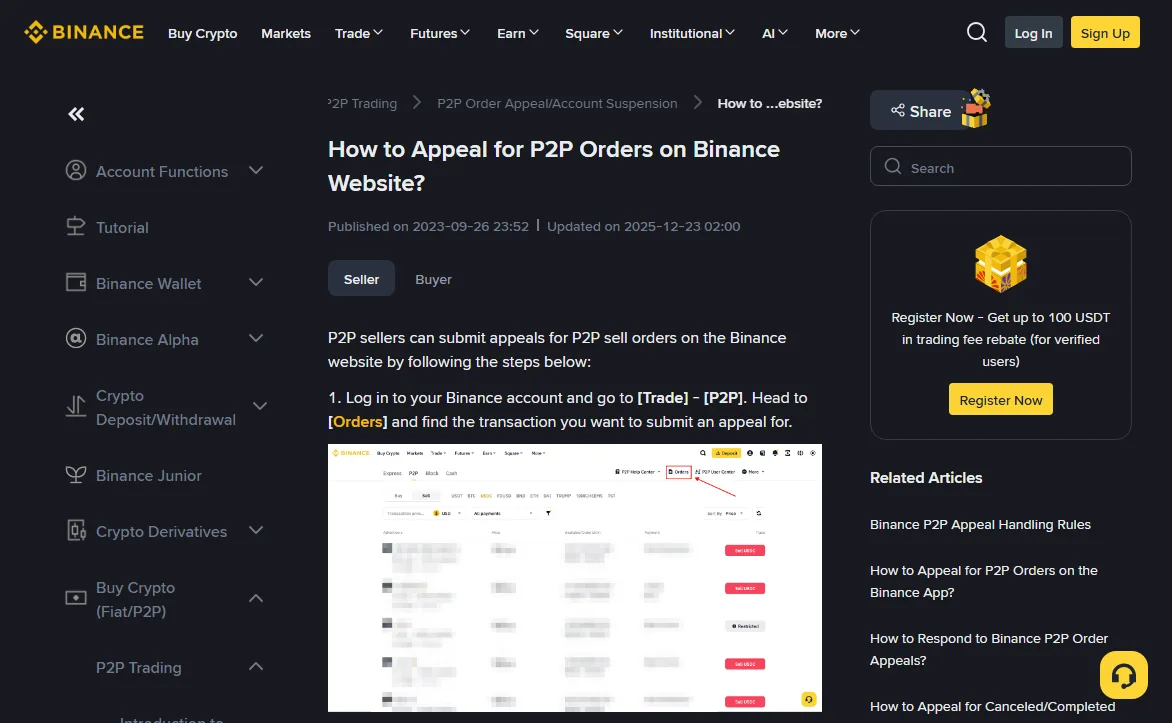
Leaving the order sitting in "waiting for you to release" while you argue in the chat gets nothing on record. An appeal does. The seller's path in How to Appeal for P2P Orders on Binance Website? is:
- Go to [Trade] - [P2P], open [Orders] and find the trade.
- On the [Verify Payment] page, click [Appeal].
- Pick the issue in the pop-up. If none of the suggested fixes apply, carry on to a full appeal: choose a reason, explain what happened, attach screenshots.
- Track it under [Appeal Status].
2026-10
In the description, put what your bank app shows: the sender's name, the amount and the time. Add the buyer's verified name from the order. Crop or cover your balance in any screenshot; support needs the transaction, not your savings.
The buyer then has 10 minutes to respond. If they pick [Negotiation failed], or say nothing, the appeal moves to "Under Review" and support steps in, with updates by email and SMS. If they pick [Consensus reached], you're asked to confirm; after you do, the system cancels the order.
Watch one button in particular: [Cancel Appeal]. The guide says it sends you back to the payment confirmation page to release your assets, and if you hit it by mistake you have to wait 5 minutes before appealing again. For a name mismatch the end state you want is a cancelled order, not a release.
Where the refund goes: back to the account that paid
The chargeback section of the scam page settles this in one line: file an appeal and refund the payment to the sending account. Not to a second account the buyer suggests in the chat.
The reason is in the same section. Some payment methods let the payer claw money back, and scammers often pay through third-party accounts so they can reverse the payment after you release. Now flip it around: if you send the refund somewhere else and the real payer later goes to their bank, you are the person who received their money and never returned it. Sending it back where it came from is the only version of events that stays clean.
Keep the bank's transfer receipt and upload it to the appeal. That receipt is the "proof of the refund" the rules require before the order can be cancelled. The rules also put fees on the buyer; how that's handled in practice is something to ask support inside the appeal before you send anything.
If support asks for video proof
How to Record a Video Proof for Binance P2P Appeal is stricter than you might expect:
- Two devices: one to do the steps, one to film all of it. Screen recordings are not accepted, and no cuts or edits.
- Open your banking app from Google Play or the App Store, show the full login (cover the password), then the profile page with the account name and number.
- Open the transaction history and show the incoming payment for this order, with date, time, account number and both names visible.
- A well-lit background with something moving in it; dark or static footage gets sent back. Maximum 200 MB.
In a name-mismatch case, the frame that matters is the sender's name on that one transaction. Hold the camera on it long enough to read.
You already released before noticing
That's item 3 of the seller's appeals, releasing before confirming payment. Report it to support. If the buyer won't respond or cooperate, the rules say you can go to law enforcement. They also say the seller bears full responsibility, and Binance does not guarantee the funds come back.
Gather everything while it's fresh: order number, the chat, the bank entry showing the sender, and when you released. Then think about your bank account. Money from a third party is exactly the kind of incoming payment that can lead to questions or a block later. What to do on the first day of a block is covered in the cash-in and cash-out guide.
To catch this before the next sell order rather than after, the counterparty guide covers what to look at before accepting a buyer, and the payment-block self-check walks through it as a list.
Sources
- Binance Support, Binance P2P Appeal Handling Rules (marked last updated 15 October 2024, read 2026-10) — non-CNY scope; seller's appeal item 2: name mismatch suspends the buyer's P2P function, no release, full refund, cancellation after refund proof and buyer confirmation, fees on the buyer; item 3: early release is the seller's responsibility.
- Binance Support, How to Appeal for P2P Orders on Binance Website? (marked updated 2025-12-23, read 2026-10) — [Appeal] on the [Verify Payment] page, the 10-minute response window, [Negotiation failed] and [Consensus reached], and the 5-minute wait after [Cancel Appeal].
- Binance Support, common P2P scams (read 2026-10) — edited screenshots and fake SMS, refusing third-party payments and refunding to the sending account, triangle and man-in-the-middle scams.
- Binance Support, How to Record a Video Proof for Binance P2P Appeal (searchable by that title in the help centre; marked last updated 28 March 2025, read 2026-10) — two devices, no screen recording, what must be visible, 200 MB limit.
The English appeal guide and its Chinese version carry different update dates (2025-12-23 and 2026-03-20). The steps quoted here matched in both when read.
Short answers
Can I just cancel the order myself?
The rules describe cancellation as happening after you submit proof of the refund and the buyer confirms receiving it, inside the appeal. Going through the appeal keeps a record of why the order was cancelled.
The buyer says they'll send the right payment if I refund first. Is that fine?
The refund still goes back to the account that sent the first payment. Whether to accept a fresh order paid from the buyer's own account is your call; settle the appeal on the first order before anything new starts.
Does this apply if I trade in renminbi?
No. The appeal rules page says it applies to non-CNY trades only. CNY P2P follows separate rules that this article does not cover.