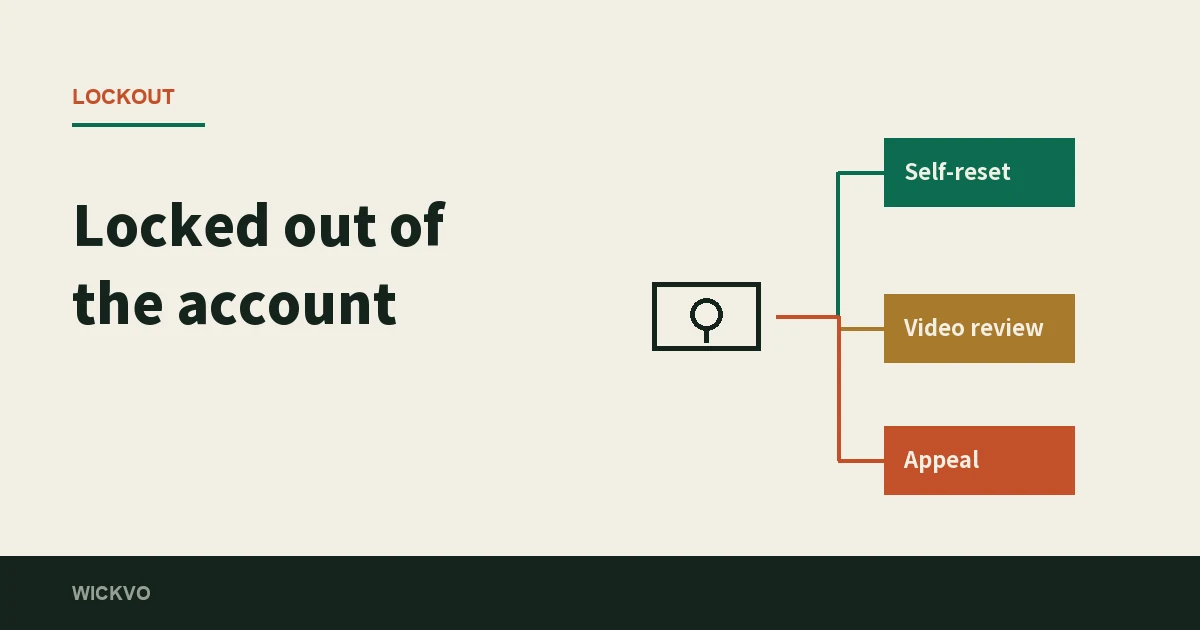
First, work out which thing you actually lost
To let you into an exchange account, the platform confirms three independent things: that you know the password, that you can reach one verification channel (an email inbox or a phone number), and that you are holding the second-factor device. Losing one of the three and losing two of them are different orders of difficulty, and they are handled by different processes.
So the first move is not to open a support chat. It is to sit down and answer four questions.
- Do you still remember the password? If you do, every route below gets shorter.
- Can the email address (or phone number) you registered with still receive messages? If it can, you still have a self-service path.
- Can you still get the six-digit code from the authenticator? If not, you are going through a reset.
- Do you remember which email address the account was opened with? This is the one that matters most. If the answer is no, the first three stop being relevant and you go straight to the last section.
Match your answers against this table and you will know which route you are on:
| Where you are now | The route | Roughly how long |
|---|---|---|
| New phone, old phone still switches on | Migrate the authenticator, do not reset | Ten minutes |
| Authenticator gone, email or SMS still reachable | The security-verification reset inside the login flow | Submit, then wait — up to 24 hours |
| Authenticator and email both out of reach | Same reset route, but a video is required | After the video clears, more waiting |
| Cannot remember which email it was | The self-service ‘Forgot Account’ appeal | Typically one working day, weekends excluded |
Case 1: you only changed phones, and the old one still turns on
This is the good case, and it is also where it is easy to talk yourself into the hard one: you install the authenticator on the new phone, find it empty, and conclude that you need a reset. You do not.
What an authenticator stores is not an account. It is a secret generated at the moment you added the entry, and it lives on the device that generated it. It does not follow your account around, unless the authenticator app itself offers cloud sync or a transfer feature. Most of them do: you export from the old phone as a QR code and scan it from the new one, and it is over in a couple of minutes.
The order matters: move everything off the old phone first, then wipe or sell it. Done the other way around, that step does not have an undo.
If the old phone still exists but will not boot, do not give up yet. Many authenticators handed you recovery codes or a backup passphrase during setup, and that string is very often sitting in a screenshot in your photo library or in a note you typed at the time. Searching for it is much faster than a reset.
Worth saying while we are here: one account can usually carry more than one verification method at a time. The account-security settings explain why keeping two is the sensible default — it is precisely for days like this one.
Case 2: the authenticator is gone for good
Now you need the platform's own reset process. The entry point is not in your settings, because you cannot get into your settings. It is buried in the middle of the login flow, which is why it cannot be found in the settings menu.
The path runs roughly like this: on the login page you enter your email or phone number, then your password, and you arrive at the security-verification screen. What you do there is not to try and satisfy it. You select the verification method you can no longer use, and then click the ‘Security verification unavailable?’ link next to it. That link is the reset entrance.
Inside, you get a list. Tick every verification device you can no longer reach and submit. Tick all of them, not just one — a half-finished reset means the next screen stops you again and you start over.
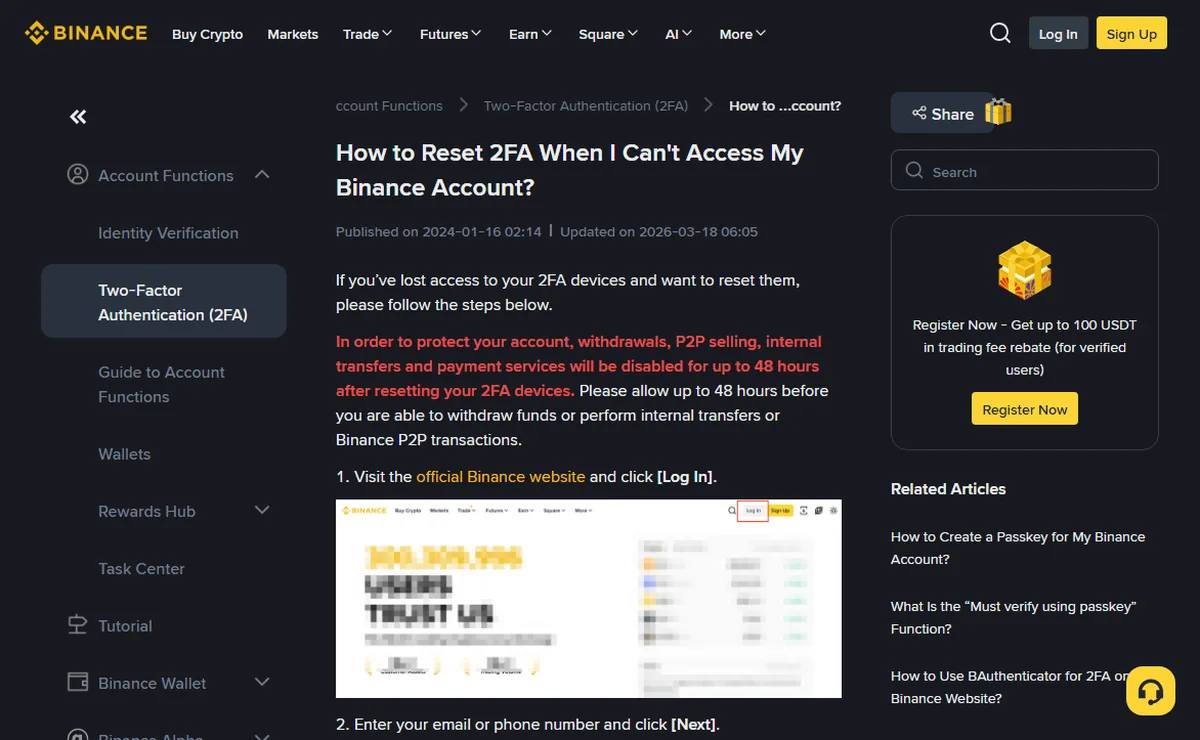
There is a fork on the way worth knowing about in advance. If you ever set up a passkey, login will first offer you a passkey prompt. If the passkey is gone too, click Cancel, then choose ‘My passkey is unavailable’ to carry on. If you never set one up, you will not see that screen at all.
After you submit, there are three possible outcomes:
- Under review — a team is looking at it. The official page puts the ceiling at 24 hours, and the result goes to the address you newly verified.
- Request rejected — usually because the devices you ticked do not match what you can actually still use. Work out what remains reachable and apply again.
- Approved — you can log in with a new authenticator. Do not rush to withdraw, for the reason in the section below.
What the video actually has to contain
If there is no verification method left that you can use, the self-service route stops halfway and asks you for a video. If you get sent back at this step, it is usually on a detail of the recording rather than on anything about you personally.
The hard requirements:
- Hold the same document you verified the account with, front side to the camera, with your face and the document both clearly readable. A different document will not do.
- Read a statement out loud. Today's date, that you are applying to reset a specific verification on your account, that you confirm it is your own activity, and the email address on the account. The date and the address both have to be right.
- If your English is not up to it, speak your own language — but write the same statement out in English on paper, with the date, the email address and which verification you want reset, and hold the paper up next to your document.
- One continuous take. No cuts, no watermarks, and screen-recorded footage is not accepted.
- You also submit a separate photo of the document you held in the video.
There is an optional extra: a video showing proof of a deposit you made into the account. You record the withdrawal record on the third-party platform you sent the money from — not Binance — matching the deposit record on the Binance side, which demonstrates that you were the sender. Binance says this one is optional but recommended, and asks that it show the largest deposit you made in the last three months and that your face appears at the start or the end. Since it is optional, the test is simple: the thinner the rest of your evidence, the more it is worth recording.
Case 3: the email or phone number is itself out of reach
This splits into two cases that are nothing like each other.
The mailbox still exists, you just lost its password
Recover the mailbox first, then come back to the exchange. Do not reverse that order. The mailbox is upstream of everything here. Until it works, nothing the exchange sends you arrives, and every move you make on this end is wasted.
The phone number has been cancelled or recycled
Then use the reset route from the section above and include SMS verification in the list of things to reset. Partway through, the system asks you to enter and verify a new phone number or email address. That step is normal, not a phishing attempt.
While we are here: this is exactly why the registration guide suggests opening the account with an email address rather than a phone number. A number belongs to a carrier. Change countries, change plans, or leave it dormant long enough and it disappears one day without asking you. A mailbox is far more stable.
Case 4: you cannot remember which email it was
This is the awkward one, because you cannot even say ‘I own this account’ from the account's side. The platform runs a separate route for it, the ‘Forgot Account’ appeal.
Note that there are two different entrances: one for accounts that finished identity verification, another for accounts that never did. Going through the wrong one means filling in a form for nothing. If you cannot find either, the ‘Need help to login?’ page after a failed login links to them, and the support chatbot will send the link too.
The evidence list looks much like the video above, with two differences:
- Pick the right nationality, matching the one printed on your document.
- The photo of the document has to show the number clearly — not cropped, no glare. For a digital ID, submit the corresponding screenshot.
- The statement is different. On this route you read out that you have forgotten your Binance account for personal reasons and are asking for help retrieving the account information. The date still has to be right, and speaking your own language with an English note still applies.
The stated turnaround is typically one working day once the materials are complete, weekends excluded. Which means that submitting on a Friday evening realistically means Monday.
The 48 hours after it goes through
This is the part that panics people, so it is worth being precise about.
After a successful two-factor reset, the account does not come straight back to full use. The official page is blunt: after resetting your 2FA devices, withdrawals, P2P selling, internal transfers and payment services are disabled for up to 48 hours. You can log in, see your balance and read your history, but money cannot leave during that window.
That is not a fault. It is the design working: if a reset restored withdrawals immediately, anyone who managed to talk their way through the reset process could empty an account within minutes. Those 48 hours exist so the real owner has time to react.
There are exactly two things to do with them. First, set up the new authenticator immediately, and this time store the recovery codes somewhere other than the phone. Second, do not spend the 48 hours poking at the withdrawal button — it will not work, and it leaves the risk system a trail of attempts it did not need.
One detail that visibly speeds up the review
What the reviewing team is deciding, in the end, is whether you are who you say you are. The more specific the material you volunteer, the easier that call is to make.
Binance mentions that some users are asked two extra questions: the date the account was registered, and the IP address it was registered from. Neither looks knowable at first. Both are. When you signed up, the platform sent a confirmation email whose subject line has roughly this shape: [Binance] Confirm your Registration From XXX (IP address) - XXX (date). The date and the IP are printed in the subject.
So while you can still get into that mailbox, search for that message and copy the subject line down verbatim. If you are asked, you hand it straight over and save a round trip. This sits in one corner of one help page, and it is the single most useful thing in this article.
Ten minutes now, and none of the above applies
Everything above is damage control, and damage control is always more expensive than prevention. Three things, ten minutes, and this whole article stops being relevant to you.
- Store the authenticator's recovery codes somewhere that is not the phone. On paper at home, or in a password manager that has nothing to do with this handset. Keeping them in the photo library of the same phone is the same as not keeping them — when the phone goes, they go with it.
- Keep two verification methods on the account. Authenticator plus SMS, or authenticator plus a passkey. The whole point of two is that when one disappears, you can still complete a reset yourself instead of filming a video.
- Put two-step verification on the registration mailbox as well, and back up its recovery path separately. The mailbox is the first link in the chain. It deserves more protection than the exchange account does.
And one more that does not sound like security advice but earns its place: file the registration confirmation email somewhere you can find it. The date and IP inside it are the answers to the two questions in the previous section.
Quick answers
- Will my assets be frozen after a 2FA reset?
- Nothing is confiscated, but for a while nothing moves either. Binance's help page states it plainly: after you reset your 2FA devices, withdrawals, P2P selling, internal transfers and payment services are disabled for up to 48 hours. The market keeps moving during those 48 hours. That is the price of this particular security design.
- Could I just open a second account and move the assets across?
- No, and it would not help anyway. The assets sit in the old account, and you cannot log into it right now, which means there is nothing to move them with. A second account does not change that — one of the four routes above is still the only way back in.
- Does the appeal video have to be in English?
- No. Binance allows you to speak in your own language, but it asks you to write the same statement out in English on a piece of paper and hold that up next to your ID. The video has to be one continuous take, with no edits, and screen recordings are not accepted.
- How long does the review take?
- The two routes quote different numbers. For a 2FA reset request showing as under review, the help page says up to 24 hours. For a Forgot Account appeal, it says typically one working day, weekends excluded.
- Is it worth paying someone who says they can rush it internally?
- No, and it is dangerous. The review runs inside the platform and nobody outside it can reach into that queue. Anyone who approaches you while your account is locked and claims to have an inside channel is aiming at whatever you have left.
- Can this site recover my account for me?
- No, and it should not be able to. This site has no business relationship with Binance and no access to your account. What is written here is the shape of the process and where each route stalls. Every actual step happens on the official pages.
Sources
- Binance Support, How to Reset 2FA When I Can’t Access My Binance Account? — where the reset entrance sits inside the login flow, how to get past the passkey prompt, and both numbers quoted here: up to 48 hours of disabled withdrawals after a reset, and up to 24 hours of review. The screenshot above is this page; it is marked updated 2026-03-18.
- Binance Support, How to Record a Video for My Reset 2FA Request — the wording of the statement, the speak-your-own-language-plus-English-note arrangement, the no-edits and no-screen-recording rules, and the registration date and IP questions.
- Binance Support, How to Appeal for ‘Forgot Account’ on Binance? — the two separate entrances for verified and unverified accounts, the document and statement-video requirements, the optional deposit-record video, and the one-working-day figure. Marked updated 2026-01-26.
Nothing here is copied from the official text. What is written is the shape these three processes make when you put them side by side: which one you are on, and where each one stalls. When you actually go to do it, go back to those three pages and follow what they say on the day — the entry points and the timings have both moved more than once.